
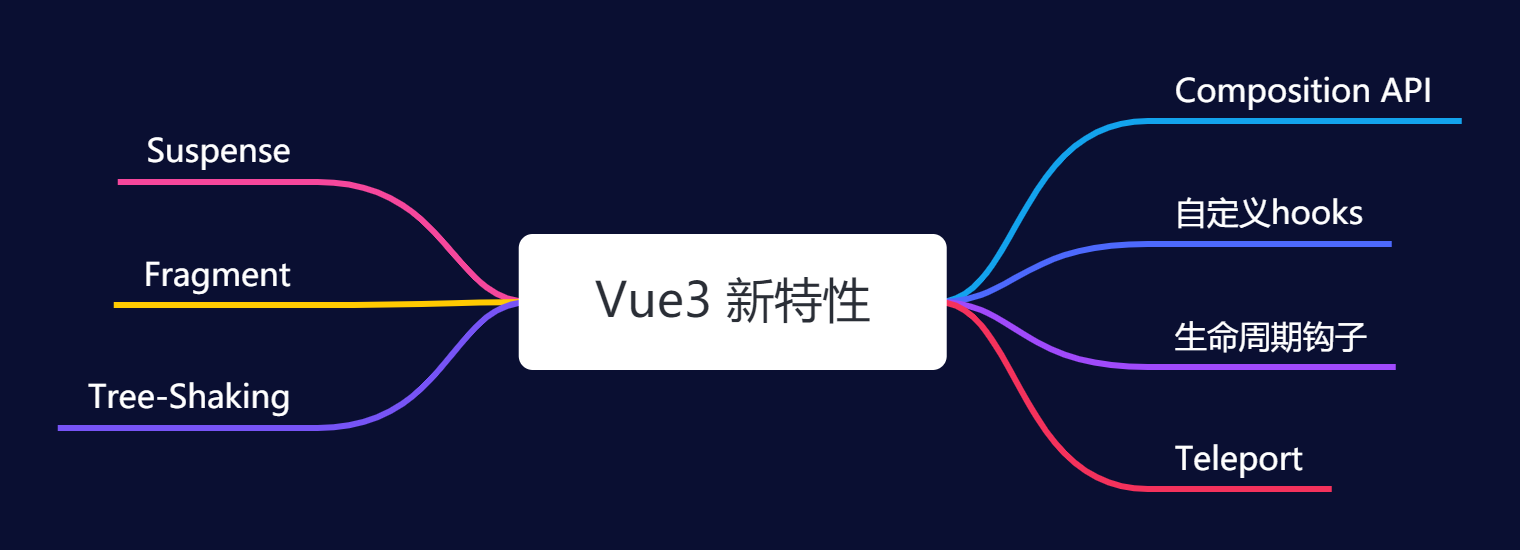
Vue3新特性
# Vue3新特性
# Composition API
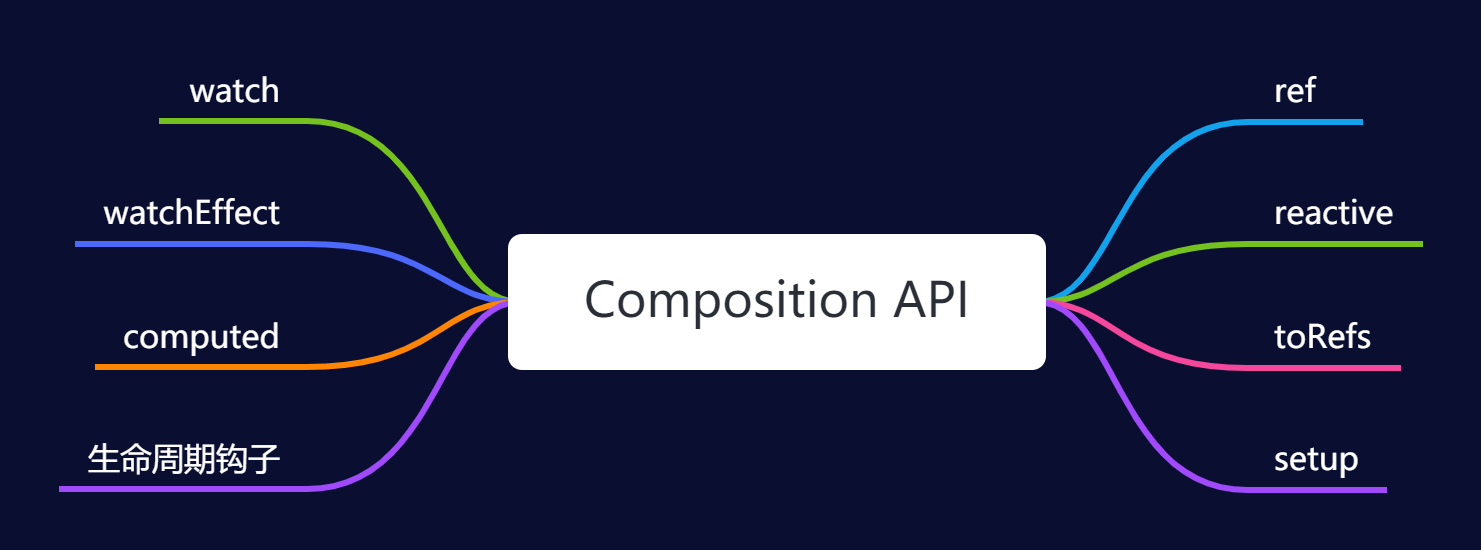
# 1.setup
setup 是 Vue3 新增的选项,是组件内 Composition API 的入口。
setup 在 beforeCreate 之前执行。
setup 在使用时,接收两个参数:
props:组件传入的属性context,由于setup不能访问this对象,所以context提供了this中最常用的三个属性:attrsslotsemit
# 2.ref、reactive 与 toRefs
在 Vue3 中使用 ref 和 reactive 来定义数据。
ref 一般用于定义基本数据类型的数据(ref 也可以定义引用数据类型),reactive 则一般用于定义引用数据类型的数据。
ref 底层的本质还是 reactive。
ref('xxx') = reactive({ value: 'xxx' })
在 template 模板中使用 ref 声明的变量不需要通过 .value 获取,Vue 会自动添加,但是在 js 中使用或更改 ref 声明的变量的值必须通过 .value 获取和更改。
使用 reactive 定义的数据可以使用 toRefs 进行解构,转换成属性全部为 ref 对象的普通对象
<template>
  <div class="homePage">
    <p>第 {{ year }} 年</p>
    <p>姓名: {{ nickname }}</p>
    <p>年龄: {{ age }}</p>
  </div>
</template>

<script>
import { defineComponent, reactive, ref, toRefs } from "vue";
export default defineComponent({
  setup() {
    const year = ref(0);
    const user = reactive({ nickname: "xiaofan", age: 26, gender: "女" });
    setInterval(() => {
      year.value++;
      user.age++;
    }, 1000);
    return {
      year,
      // 使用reRefs
      ...toRefs(user),
    };
  },
});
</script>
2
3
4
5
6
7
8
9
10
11
12
13
14
15
16
17
18
19
20
21
22
23
24
25
26
# 3.生命周期钩子
Vue3 中用 setup 代替了 beforeCreate 和 created,并且将 beforeDestroy 变更为 onBeforeUnmount,destroyed 变更为 onUnmounted,新增了状态跟踪的钩子函数 onRenderTriggered 和 onRenderTracked。Vue3 中的生命周期钩子必须写在 setup 里,需要导入后才能使用,同时 Vue2 的生命周期钩子依然可以使用。
# 4.watch 与 watchEffect
watch
watch(source, callback, [options])
- source: 可以支持 string,Object,Function,Array;用于指定要侦听的响应式变量
- callback: 执行的回调函数
- options:支持 deep、immediate 和 flush 选项
- deep:深度侦听
- immediate:加载立即执行(watch 默认是惰性的,仅在侦听的数据源发生变化时才执行回调)
侦听 ref 定义的数据
const year = ref(0);

watch(year, (newVal, oldVal) => {
  console.log("新值:", newVal, "老值:", oldVal);
});
2
3
4
5
侦听 reactive 定义的数据
const state = reactive({ nickname: "xiaofan", age: 20 });

watch(() => state.age, (newVal, oldVal) => {
  console.log("新值:", newVal, "老值:", oldVal);
});
2
3
4
5
侦听多个数据
侦听多个数据时,可以进行合并
watch([() => state.age, year], ([curAge, newVal], [preAge, oldVal]) => {
	console.log("新值:", curAge, "老值:", preAge);
    console.log("新值:", newVal,"老值:",oldVal);
});
2
3
4
侦听深层嵌套对象
const state = reactive({
  room: {
    id: 100,
    attrs: {
      size: "140平方米",
      type: "三室两厅",
    },
  },
});
watch(() => state.room, (newType, oldType) => {
    console.log("新值:", newType, "老值:", oldType);
},
  { deep: true }
);
2
3
4
5
6
7
8
9
10
11
12
13
14
watchEffect
- watchEffect 不需要手动传入依赖。
- watchEffect 会先执行一次用来自动收集依赖。
- watchEffect 无法获取到变化前的值, 只能获取变化后的值。
# 5.computed
接收一个 getter 函数,并为从 getter 返回的值返回一个只读的响应式 ref 对象。
const count = ref(1)
const plusOne = computed(() => count.value + 1)

console.log(plusOne.value) // 2

plusOne.value++ // 错误
2
3
4
5
6
# 6.自定义 hooks
在 Vue3 中对于重复使用的逻辑,可以封装成一个 hook,自定义 hooks 以 use 作为前缀,和普通的函数区分开。
import { ref } from 'vue'

const nowDate = ref('')
const getNowDate = () => {
    const now = new Date()
    const year = now.getFullYear()
    const month = (now.getMonth() + 1 + '').padStart(2, '0')
    const day = (now.getDate() + '').padStart(2, '0')
    const hours = (now.getHours() + '').padStart(2, '0')
    const minutes = (now.getMinutes() + '').padStart(2, '0')
    const second = (now.getSeconds() + '').padStart(2, '0')
    nowDate.value = `${year}年${month}月${day}日  ${hours}:${minutes}:${second}`
    setTimeout(getNowDate, 1000)
}

export {nowDate, getNowDate}
2
3
4
5
6
7
8
9
10
11
12
13
14
15
16